Kip, by Kipnetic · AI mail and calendar

Google + Microsoft. One inbox.

Bring up to five Gmail and Outlook accounts into one inbox. See your calendars, ask about your mail or schedule, and review briefs and drafts before you act.

Gmail beta and AI pricing are confirmed before activation. 14-day free trial, card required at activation. Your subscription includes an AI allowance. Additional AI usage is charged separately.

Explore the Kip interface
Kip unified inbox and message reader with synthetic Gmail and Outlook sample accounts.
Actual Kip interface with synthetic sample data. Open the image to inspect it.
Actual Kip week calendar showing synthetic Gmail and Outlook sample events together.
Actual Kip calendar interface with synthetic Gmail and Outlook sample events. Open the image to inspect it.
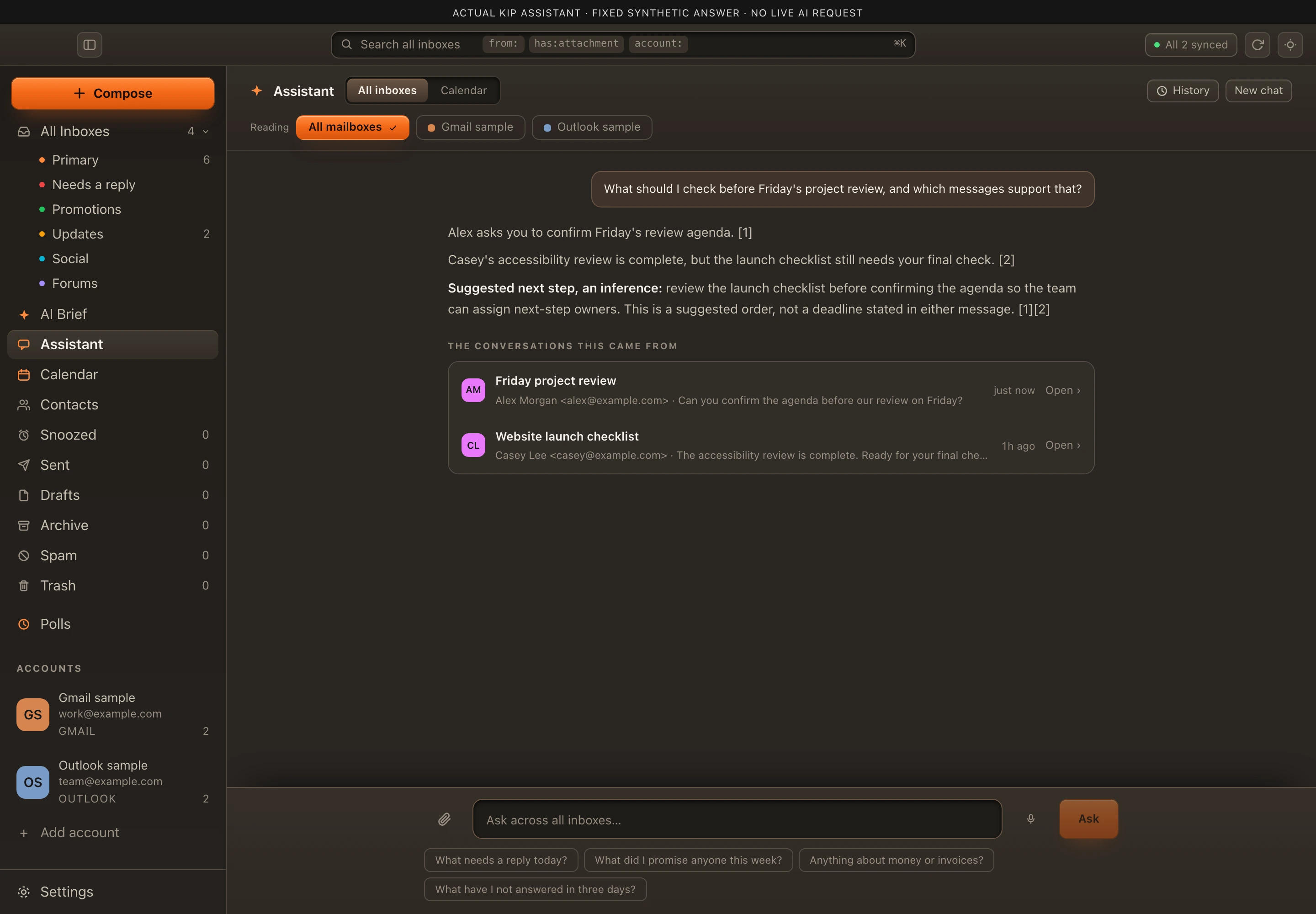
Actual Kip assistant showing a fixed synthetic answer, source messages and an example suggested next step.
Actual Kip assistant interface with a fixed synthetic answer and source messages. The suggested next step is an example inference; no live AI request is made. Open the image to inspect it.
Actual Kip morning brief interface with fixed synthetic summaries.
Actual Kip interface with fixed synthetic sample data, not live AI output. Nothing is sent. Open the image to inspect it.
Actual Kip draft review interface with a fixed synthetic reply ready for human review.
Actual Kip interface with fixed synthetic sample data, not live AI output. Nothing is sent. Open the image to inspect it.

Mail and calendars, with context.

Calendar

Your calendars, together.

Bring Gmail and Outlook calendars into one view. Choose what you see, move from the week to the month, and open an event for the details.

  • Week, three-day, month and agenda views
  • Choose the calendars you want to see

Calendar questions use events Kip can access, separately from mail.
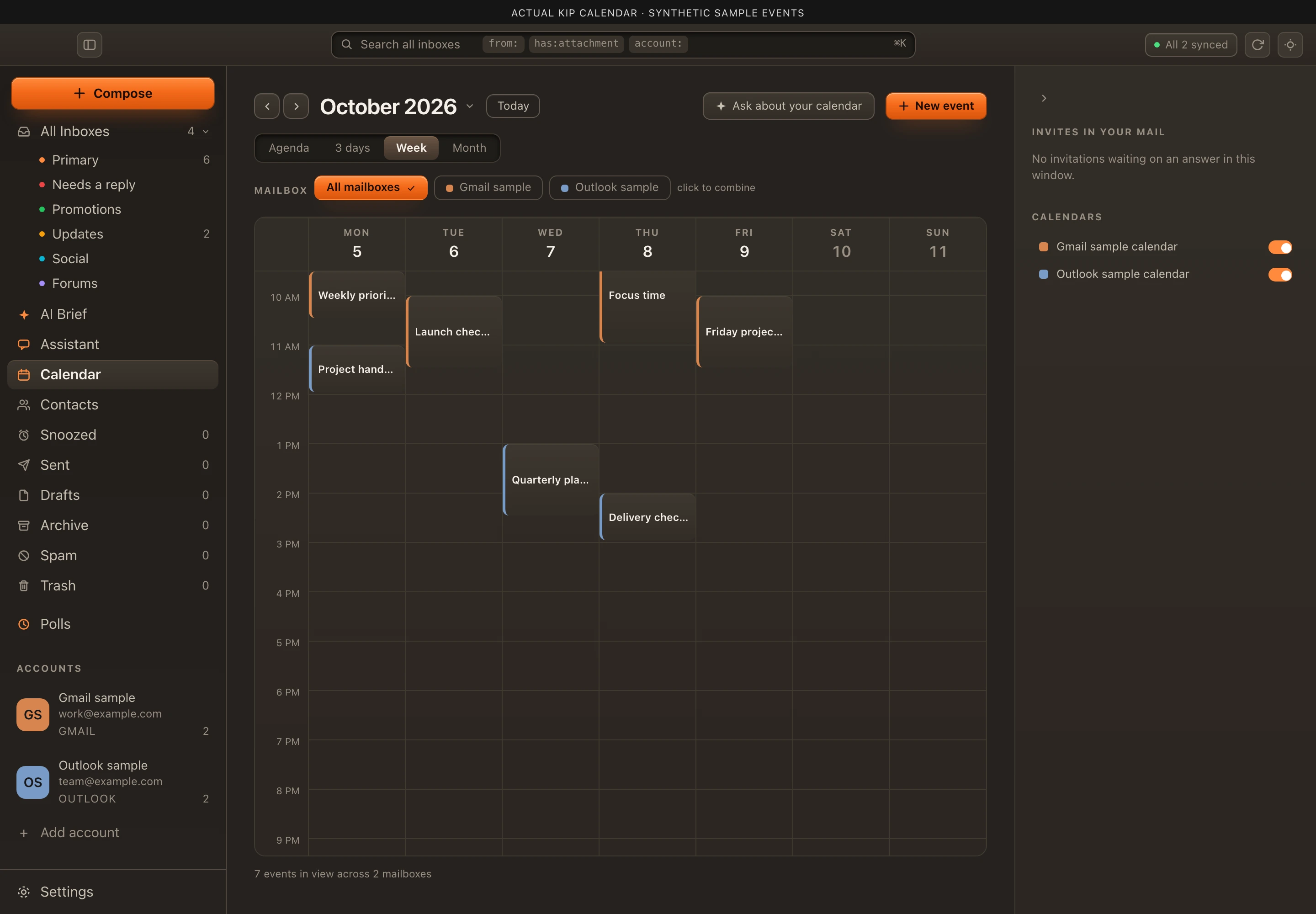
Actual Kip week calendar showing synthetic Gmail and Outlook sample events together.
Actual Kip calendar interface with synthetic Gmail and Outlook sample events. Open the image to inspect it.

AI search and context

Find the answer behind the messages.

Ask a question, follow the sources, decide what comes next. Kip searches connected mail and helps you connect the details, with cited messages you can open.

In this fixed sample, Kip connects a review agenda with a launch checklist and suggests checking the checklist before confirming the agenda. The order is an inference, not a stated deadline.

  • Search connected mail by question
  • Open the messages behind the answer

Mail search covers Kip’s cached inbox and sent messages; older or archived mail may be missing.

Actual Kip assistant showing a fixed synthetic answer, source messages and an example suggested next step.
Actual Kip assistant interface with a fixed synthetic answer and source messages. The suggested next step is an example inference; no live AI request is made. Open the image to inspect it.

Your mail, sorted before you open it.

One inbox

Gmail and Outlook, side by side.

Connect your Gmail and Outlook accounts and read them in one place. Work, personal, and side-project mail stop living in separate tabs.

  • Many accounts across both providers
  • One unified view, with each account still a click away

Morning brief

Start the day knowing what needs you.

Each morning Kip summarizes what arrived and sorts out the messages that need a reply, so the important threads are not buried under newsletters and receipts.

  • A short AI brief of what came in
  • Triage that flags what needs a reply

Drafting

Drafts that ask before they send.

Kip drafts replies and leaves them for you to review. You can edit, send, or discard. Nothing leaves your outbox until you tap send.

  • AI drafts you can edit
  • Every send is your decision

Claude and ChatGPT

Use Kip from Claude or ChatGPT.

Kip connects to Claude and ChatGPT, so you can ask about your mail and calendar from the assistant you already use. The built-in connectors hold one account each. Kip’s connection works across all of your accounts at once.

Privacy

Your mail stays yours.

  • The AI providers Kip uses do not keep your mail or train on it.
  • Your mailbox is stored in its own encrypted database.

Read the Kip privacy policy.

Your accounts, your decision.

Choose Google, Microsoft or both in one access request. We confirm eligibility and the full pricing before setting up your trial.

Your subscription includes an AI allowance. Additional AI usage is charged separately.

Confirm the included AI allowance, overage rates and trial usage terms with us before activation.

Kip: AI mail and calendar · Kipnetic